
Contents
- 📊 What is Visual Data Analysis?
- 🎯 Who Needs Visual Data Analysis?
- 🛠️ Core Tools & Technologies
- 📈 Key Techniques & Methodologies
- 💡 Vibepedia Vibe Score & Controversy
- ⚖️ Visual Data Analysis vs. Traditional Methods
- 🚀 Emerging Trends & Future Outlook
- ✅ Getting Started with Visual Data Analysis
- Frequently Asked Questions
- Related Topics
Overview
Visual data analysis transforms raw data into understandable and actionable insights through graphical representations. It's the bridge between complex datasets and human comprehension, enabling faster pattern recognition, trend identification, and outlier detection. This discipline spans a spectrum from simple bar charts to sophisticated interactive dashboards, empowering decision-makers across industries. Effective visual analysis requires not just technical skill in tools like Tableau or Python libraries (Matplotlib, Seaborn), but also a deep understanding of design principles and the specific questions the data needs to answer. Its growing importance is evident in the demand for data visualization specialists and the increasing integration of visual analytics into business intelligence platforms.
📊 What is Visual Data Analysis?
Visual Data Analysis (VDA) is the practice of using visual representations—charts, graphs, maps, dashboards—to explore, understand, and communicate insights from data. It’s not just about making pretty pictures; it’s a cognitive process that leverages our innate ability to process visual information rapidly. By transforming complex datasets into intuitive visual formats, VDA allows analysts to identify patterns, outliers, and trends that might remain hidden in raw numbers. This approach is fundamental to EDA and is crucial for making data-driven decisions across various domains. Think of it as translating the abstract language of numbers into a universally understood visual dialect.
🎯 Who Needs Visual Data Analysis?
Anyone grappling with more than a handful of data points can benefit from VDA. Business intelligence professionals use it to track key performance indicators (KPIs) and market trends. Scientists visualize experimental results to uncover relationships and validate hypotheses. Financial analysts employ VDA to spot market anomalies and forecast economic shifts. Even journalists use it to tell compelling data-driven stories. Essentially, if your work involves understanding or explaining data, VDA is an indispensable tool in your arsenal, bridging the gap between raw data and actionable intelligence. It’s particularly vital for communicating insights to non-technical audiences.
🛠️ Core Tools & Technologies
The VDA toolkit is diverse, ranging from simple spreadsheet charting functions to sophisticated business intelligence platforms and programming libraries. Microsoft Excel and Google Sheets offer basic charting capabilities, sufficient for many introductory analyses. For more advanced needs, dedicated BI tools like Tableau Software, Microsoft Power BI, and Qlik Sense are industry standards, offering interactive dashboards and deep analytical features. Data scientists often rely on programming languages like Python, with libraries such as Matplotlib, Seaborn, and Plotly, or R with ggplot2, for highly customized and automated visualizations. The choice often depends on the complexity of the data and the desired level of interactivity.
📈 Key Techniques & Methodologies
At its heart, VDA employs a variety of techniques to reveal data’s story. Scatter plots are excellent for identifying correlations between two variables, while bar charts and histograms effectively display distributions and comparisons. Line graphs are ideal for tracking changes over time, and heatmaps can reveal patterns in large matrices of data. Geographic Information Systems (GIS) are used for spatial data visualization, mapping trends across regions. More advanced methods include network graphs for understanding relationships between entities and interactive dashboards that allow users to drill down into specific data points, making the exploration dynamic and iterative. Statistical modeling often complements these visual techniques.
💡 Vibepedia Vibe Score & Controversy
VDA generally scores high on the Vibepedia Vibe Scale, often in the 80-90 range, due to its broad applicability and immediate impact on understanding. However, its controversy spectrum is moderate, primarily revolving around the potential for misinterpretation or deliberate manipulation of visuals. While powerful, a poorly designed chart can mislead viewers, creating a false sense of certainty or obscuring critical details. Debates often surface regarding the ethical implications of data visualization and the responsibility of analysts to ensure clarity and accuracy. The ease with which a compelling narrative can be constructed, sometimes at the expense of statistical rigor, is a persistent point of contention.
⚖️ Visual Data Analysis vs. Traditional Methods
Traditional data analysis often relies on statistical summaries, reports, and tables, which can be dense and difficult for many to digest. VDA offers a more intuitive and engaging alternative. While traditional methods excel at providing precise numerical answers, VDA excels at revealing overarching patterns, anomalies, and relationships that might be missed. It’s less about replacing statistical rigor and more about augmenting it, making complex findings accessible. Think of it as the difference between reading a detailed financial report and looking at a clear, interactive dashboard that highlights key trends and potential risks. VDA democratizes data understanding, moving beyond the realm of pure statisticians and into broader organizational use. Business intelligence platforms are key enablers of this shift.
🚀 Emerging Trends & Future Outlook
The future of VDA is increasingly intertwined with AI and machine learning. AI-powered tools are emerging that can automatically suggest the most appropriate chart types for a given dataset or even generate insights directly from visualizations. Augmented analytics, which combines AI with human expertise, is poised to make VDA even more powerful and accessible. We're also seeing a rise in real-time, streaming data visualization, allowing for immediate monitoring of dynamic systems. Furthermore, the integration of VDA into immersive technologies like VR and augmented reality promises new ways to interact with and understand complex data environments, pushing the boundaries of how we perceive information. The focus is shifting towards predictive and prescriptive visualizations.
✅ Getting Started with Visual Data Analysis
To begin with Visual Data Analysis, start with a clear question you want to answer with your data. Choose a tool that matches your technical skill level and the complexity of your data; for beginners, Excel or Google Sheets are good starting points, while Tableau Public offers a free, powerful option for interactive dashboards. Familiarize yourself with fundamental chart types and when to use them—a scatter plot for correlation, a bar chart for comparison, a line graph for trends. Practice by analyzing publicly available datasets, such as those found on Kaggle or government open data portals. Focus on creating clear, uncluttered visualizations that directly address your initial question, and always consider your audience when designing your visuals. The goal is clarity and insight, not just aesthetics.
Key Facts
- Year
- 1952
- Origin
- The roots of visual data analysis can be traced back to early statistical graphics, with seminal works like Florence Nightingale's coxcomb diagrams (1858) and John Tukey's exploratory data analysis (EDA) in the 1970s. The advent of computing power and specialized software in the late 20th and early 21st centuries democratized its practice.
- Category
- Data Science & Analytics
- Type
- Discipline
Frequently Asked Questions
What's the difference between data visualization and visual data analysis?
Data visualization is the creation of visual representations of data, like charts and graphs. Visual Data Analysis (VDA) is the broader practice of using these visuals to explore, understand, and derive insights from data. VDA is the process of using visualization as a tool for discovery and communication, whereas visualization is the output or the medium itself. Think of it as the difference between painting a picture and using that painting to tell a story or solve a mystery.
Is visual data analysis only for technical experts?
Absolutely not. While advanced VDA can involve complex programming, the core principles and many tools are accessible to a wide range of users. Business professionals, marketers, and even students can use tools like Tableau Public or even advanced Excel features to gain valuable insights. The goal of VDA is often to make data understandable to non-technical audiences, so accessibility is key. The rise of user-friendly BI platforms has democratized VDA significantly.
What are the most common mistakes in visual data analysis?
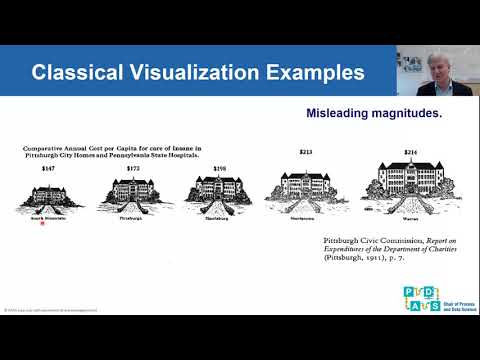
Common mistakes include using the wrong chart type for the data (e.g., a pie chart for too many categories), misleading axes (e.g., truncated y-axes that exaggerate differences), excessive visual clutter, and failing to provide context or labels. Another pitfall is creating visuals that are aesthetically pleasing but lack clear analytical purpose. Over-reliance on 3D charts can also distort perception. The key is to prioritize clarity and accuracy over gratuitous design elements.
Can visual data analysis be used for predictive modeling?
Yes, VDA plays a crucial role in predictive modeling. Visualizations are used to explore relationships between variables that might be predictive, to assess the performance of predictive models (e.g., plotting actual vs. predicted values), and to communicate the results of those models to stakeholders. While the predictive algorithms themselves are often statistical or machine learning models, VDA is essential for understanding the data that feeds them and interpreting their outputs effectively. Machine learning often relies on visual diagnostics.
How does visual data analysis help in identifying outliers?
Outliers, or data points that significantly differ from others, are often readily apparent in visual formats. Scatter plots, box plots, and histograms are particularly effective for spotting these anomalies. A point far removed from the main cluster on a scatter plot, or a bar significantly shorter or taller than others on a histogram, immediately draws the eye. This visual detection is often the first step in investigating why an outlier exists and whether it represents an error or a genuinely interesting phenomenon.
What are some free tools for visual data analysis?
Several excellent free options exist. Tableau Public allows you to create and share interactive visualizations online. Google Data Studio (now Looker Studio) offers robust dashboarding capabilities. For those comfortable with coding, Python libraries like Matplotlib, Seaborn, and Plotly, and R's ggplot2, are free and incredibly powerful. Even spreadsheet software like Google Sheets provides basic charting features for simpler analyses.