
Contents
Overview
A graphic equalizer is a powerful tool used to adjust the frequency content of an audio signal, allowing for precise control over the tone and sound quality. With its ability to boost or cut specific frequency bands, a graphic equalizer can be used to correct imperfections in audio equipment, enhance the sound of instruments and voices, and create unique audio effects. From recording studios to live sound reinforcement, the graphic equalizer is an essential component in the audio production process. In this guide, we'll explore the basics of how to use a graphic equalizer, including understanding frequency ranges, adjusting gain and bandwidth, and applying EQ techniques to various audio sources. Whether you're a seasoned audio engineer or a beginner, mastering the graphic equalizer is key to achieving professional-sounding audio. With a wide range of applications, including music production, post-production, and live sound, the graphic equalizer is an indispensable tool for anyone working with audio. By the end of this guide, you'll have a solid understanding of how to use a graphic equalizer to enhance your audio and take your sound to the next level.
🎵 Introduction to Graphic Equalizers
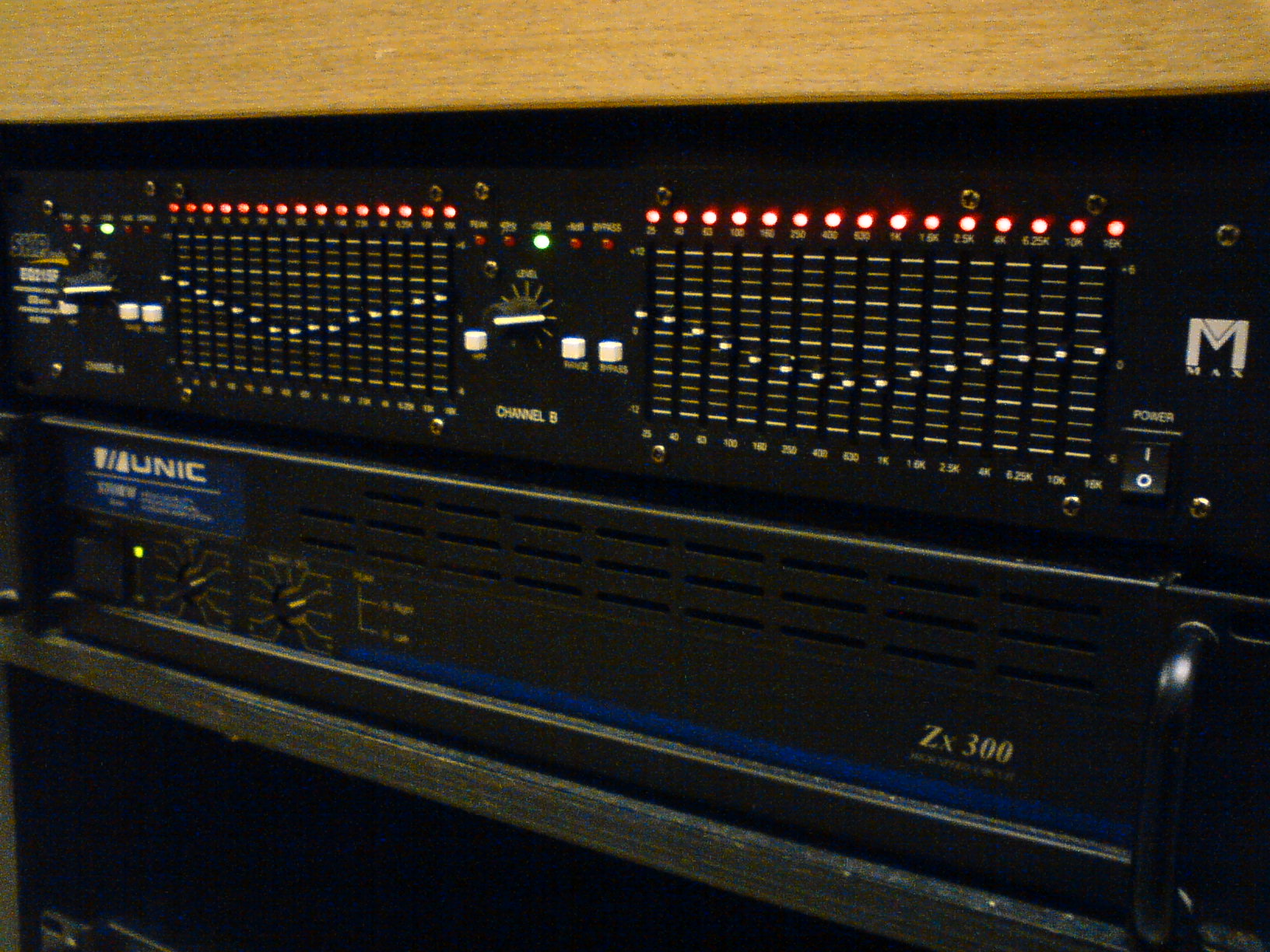
Introduction to Graphic Equalizers — The graphic equalizer is a type of equalizer that uses a series of sliders or knobs to adjust the gain of specific frequency bands. This allows for precise control over the tone and sound quality of an audio signal. The graphic equalizer is commonly used in recording studios, live sound reinforcement, and post-production facilities to correct imperfections in audio equipment, enhance the sound of instruments and voices, and create unique audio effects.
⚙️ Understanding Frequency Ranges
Understanding Frequency Ranges — To use a graphic equalizer effectively, it's essential to understand the different frequency ranges and how they affect the sound of an audio signal. The frequency range of human hearing is typically considered to be between 20 Hz and 20 kHz. The graphic equalizer is typically divided into several frequency bands, each with its own gain control. The most common frequency bands are: low bass (20-60 Hz), mid-bass (60-200 Hz), low midrange (200-500 Hz), midrange (500-2 kHz), high midrange (2-5 kHz), and high frequency (5-20 kHz).
📊 Adjusting Gain and Bandwidth
Adjusting Gain and Bandwidth — Adjusting the gain of a frequency band involves boosting or cutting the level of that band. Boosting a frequency band can add brightness or clarity to an audio signal, while cutting a frequency band can reduce unwanted resonance or noise. The bandwidth of a frequency band refers to the range of frequencies affected by the gain control. A narrow bandwidth will affect a smaller range of frequencies, while a wide bandwidth will affect a larger range.
👥 Applying EQ Techniques
Applying EQ Techniques — There are several EQ techniques that can be used to enhance the sound of an audio signal. One common technique is to use a high-pass filter to remove low-frequency rumble and noise from a vocal or instrument recording. Another technique is to use a low-pass filter to remove high-frequency hiss and noise from a recording.
📻 Real-World Applications
Real-World Applications — Graphic equalizers are used in a wide range of real-world applications, including music production, post-production, and live sound reinforcement. In music production, graphic equalizers are used to enhance the sound of individual tracks and to create a balanced mix. In post-production, graphic equalizers are used to correct imperfections in audio equipment and to create unique audio effects.
🔍 Troubleshooting Common Issues
Troubleshooting Common Issues — One common issue when using a graphic equalizer is over-EQing, which can result in an unnatural or unbalanced sound. To avoid over-EQing, use subtle adjustments and listen carefully to the audio signal. Another common issue is EQing too much, which can result in a loss of dynamics and a flat sound.
🎧 Advanced EQ Techniques
Advanced EQ Techniques — Advanced EQ techniques include using multiple graphic equalizers in series to create a complex EQ curve, and using EQ to create unique audio effects such as resonance and filtering.
📚 Conclusion and Further Reading
Conclusion and Further Reading — In conclusion, the graphic equalizer is a powerful tool that can be used to enhance the sound of an audio signal. By understanding the different frequency ranges and how to adjust gain and bandwidth, audio engineers can use the graphic equalizer to correct imperfections in audio equipment, enhance the sound of instruments and voices, and create unique audio effects.
Key Facts
- Year
- 1960s
- Origin
- United States
- Category
- technology
- Type
- technology
Frequently Asked Questions
What is a graphic equalizer?
A graphic equalizer is a type of equalizer that uses a series of sliders or knobs to adjust the gain of specific frequency bands. It is commonly used in recording studios, live sound reinforcement, and post-production facilities to correct imperfections in audio equipment, enhance the sound of instruments and voices, and create unique audio effects.
What are the most common frequency bands?
The most common frequency bands are: low bass (20-60 Hz), mid-bass (60-200 Hz), low midrange (200-500 Hz), midrange (500-2 kHz), high midrange (2-5 kHz), and high frequency (5-20 kHz).