
Contents
Overview
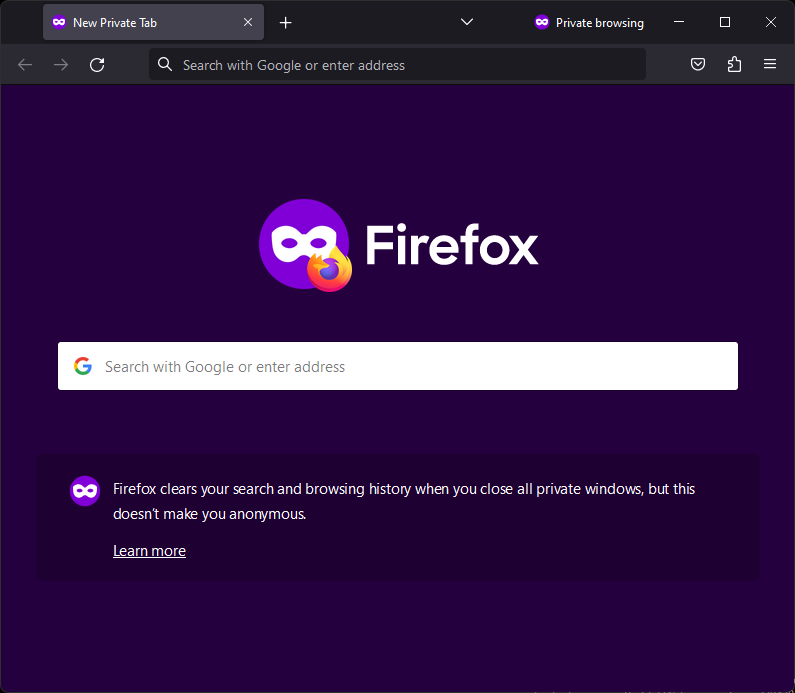
Private browsing, often branded as Incognito Mode (Google Chrome) or Private Browsing (Mozilla Firefox, Apple Safari), is a browser feature designed to limit the digital footprint left on a local device during a specific web session. When activated, it prevents the browser from saving browsing history, cookies, site data, and form information to the device's storage. This creates a temporary, isolated session that is wiped clean upon closing all private windows. While it enhances privacy for users sharing a device and aids web developers in testing user experiences, it's crucial to understand that private browsing does not render users anonymous online. Internet Service Providers (ISPs), network administrators, and visited websites can still track online activity, and sophisticated methods can potentially reveal user actions even within these modes. The perceived security often outstrips the actual protection offered, leading to a significant gap between user expectation and technical reality.
🎵 Origins & History
The concept of a temporary, non-recorded browsing session emerged from the early days of the internet, driven by a desire for ephemeral digital interactions. While early browsers lacked a dedicated 'private' mode, users would often resort to deleting their browser history manually after each session. Incognito Mode is the branding for private browsing in Google Chrome. Private Browsing is the branding for private browsing in Mozilla Firefox and Apple Safari. Apple's Safari introduced its 'Private Browsing' in 2010 with macOS Lion and iOS 5. Microsoft's Internet Explorer later introduced 'InPrivate' browsing in 2009, and Microsoft Edge continues this with its own 'InPrivate' mode. These features were not born in a vacuum but rather as a response to growing user concerns about digital surveillance and the permanence of online actions.
⚙️ How It Works
When a user initiates a private browsing session, the browser creates a separate, temporary profile. Unlike a standard session, this profile is not linked to the user's main browser profile and is designed to be discarded. Cookies, website data, temporary files, and form entries are stored only for the duration of the private session. Upon closing all private windows, the browser purges this temporary profile, effectively erasing the local record of visited sites, downloaded files (though the files themselves remain on the device), and login credentials entered during that session. This isolation is crucial for preventing other users of the same device from seeing the browsing history, a primary use case for shared computers or family devices. However, the underlying network traffic is not encrypted or anonymized; it still passes through the user's ISP and any network administrators.
📊 Key Facts & Numbers
Over 80% of major web browsers now offer some form of private browsing, with estimates suggesting that over 30% of internet users utilize these modes at least once a month. In 2023, studies indicated that approximately 40% of Chrome users in the US had used Incognito mode within the past month. Globally, an estimated 1.5 billion users engage with private browsing features regularly. Despite its widespread adoption, user comprehension of its limitations remains low; a 2020 survey by Duo Security found that nearly 70% of users believed Incognito mode made them completely anonymous online. The market for privacy-enhancing technologies, including private browsing, is projected to grow by 15% annually, reaching an estimated $25 billion by 2028.
👥 Key People & Organizations
Key figures in the development of private browsing include engineers and product managers at major browser companies. While specific individuals are rarely credited publicly for the feature's inception, the teams at Mozilla Foundation and Google were instrumental in its widespread adoption. Sundar Pichai, CEO of Google and Alphabet, oversees the development of Chrome, which popularized the 'Incognito' branding. Brendan Eich, the creator of JavaScript and former CTO of Mozilla Corporation, was a significant influence on browser technology that underpins these privacy features. Major browser developers like Apple Inc. (Safari), Microsoft Corporation (Edge), and Opera Software (Opera) also play crucial roles in shaping the user experience and technical implementation of private modes.
🌍 Cultural Impact & Influence
Private browsing has profoundly reshaped user expectations around digital privacy, even if it hasn't delivered true anonymity. It has become a cultural shorthand for discreet online activity, influencing how people search for sensitive topics, shop for gifts, or explore personal interests without leaving a visible trace on their device. This feature has also become a staple in discussions about online surveillance and data collection, highlighting the tension between user privacy desires and the business models of many internet companies that rely on user data. The term 'Incognito' itself has entered the popular lexicon, often used metaphorically to describe any action taken discreetly. The cultural resonance of private browsing is evident in its inclusion in countless online guides and discussions about digital hygiene.
⚡ Current State & Latest Developments
The ongoing development of private browsing features focuses on strengthening their effectiveness against various tracking methods. Newer iterations are exploring more robust defenses against fingerprinting techniques, which can identify users even without cookies. For instance, Apple's Safari has implemented 'Intelligent Tracking Prevention' (ITP), which limits cross-site tracking even in standard browsing, and its private browsing mode offers enhanced protection. Google is also experimenting with stricter fingerprinting defenses in Chrome's Incognito mode, though its primary business model, reliant on advertising, creates inherent conflicts. The debate continues over whether these features should be opt-in or opt-out, and how to educate users about their true capabilities and limitations in an increasingly data-driven world.
🤔 Controversies & Debates
The primary controversy surrounding private browsing centers on the discrepancy between user perception and technical reality. Many users mistakenly believe Incognito mode renders them anonymous to their ISP, employers, or the websites they visit. This misconception is often exploited by advertisers and data brokers who continue to track users through other means, such as IP addresses, device fingerprinting, and account logins. Critics argue that browser vendors, particularly Google, intentionally design these modes to be misleading, fostering a false sense of security. Furthermore, the legal implications of private browsing are debated, especially concerning its use in evading surveillance or accessing illicit content, raising questions about its role in facilitating potentially harmful activities.
🔮 Future Outlook & Predictions
The future of private browsing is likely to involve a continuous arms race between privacy-enhancing features and sophisticated tracking technologies. We can expect browsers to integrate more advanced anti-fingerprinting techniques, potentially making it harder for websites to uniquely identify users. The concept of 'privacy by default' may gain more traction, with browsers offering stronger privacy protections in their standard modes. There's also speculation that future iterations might incorporate decentralized identity solutions or more robust encryption for network traffic, moving beyond simple local data deletion. However, the fundamental tension between user privacy and the data-driven economy will continue to shape the evolution and effectiveness of these modes.
💡 Practical Applications
Private browsing serves several practical purposes beyond general user privacy. For web developers and designers, it's an indispensable tool for testing websites as a first-time visitor would see them, ensuring that cookies, cache, and user preferences do not interfere with the intended user experience. It allows for quick checks of how a site behaves without existing login sessions or accumulated cookies. For individuals using public or shared computers, it prevents sensitive information like login credentials or financial details from being saved on the machine. It's also used by people who want to avoid personalized advertising or price discrimination based on their browsing history, such as checking flight prices from different locations or at different times.
Key Facts
- Category
- technology
- Type
- topic